Policy model — sections, evaluation, drafts, and versions
A policy is the unit of intent the engine enforces. It is composed in the console, versioned in the control plane, and pushed to one or more firewalls. This article goes section-by-section through the model so you can author policies confidently rather than by trial and error.
The three sections
Section titled “The three sections”Every policy has three top-level sections matching where the engine sits in the packet path. Rules in one section never match traffic that belongs to another — choosing the right section is the first thing to get right.
to-firewall— packets whose destination is the firewall VM itself. SSH, the engine’s own management traffic, anything terminating on the box. Drop everything you don’t need.through-firewall— the forwarding path. This is where the bulk of your policy lives: east-west between subnets, north-south to the internet, any traffic the firewall is in the middle of.from-firewall— traffic the firewall VM originates. The engine’s outbound to the Enforza cloud bypasses policy by design, but you still need rules here for DNS, NTP, package updates, etc.
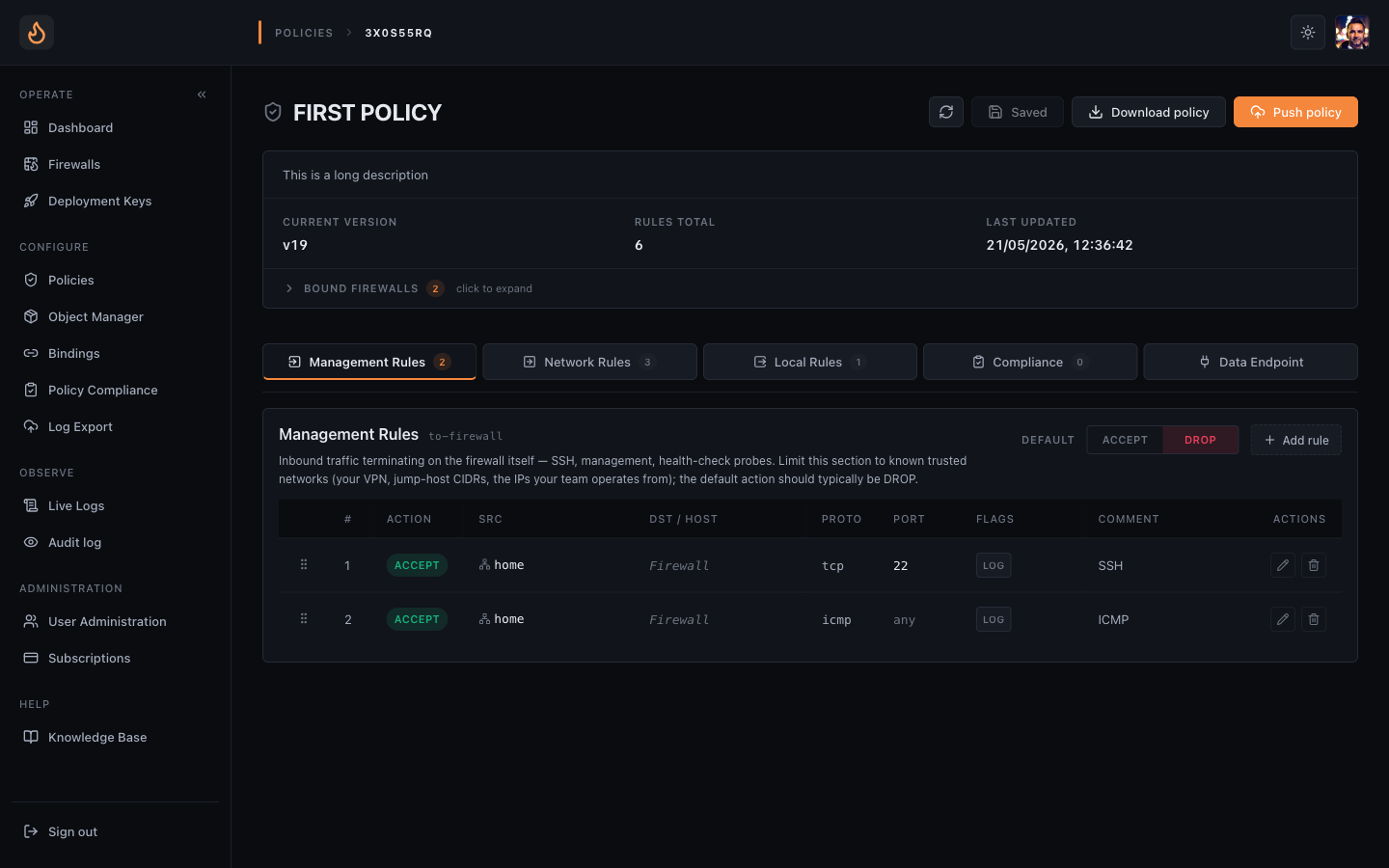 Management Rules — to-firewall traffic. SSH, management. Keep tight.
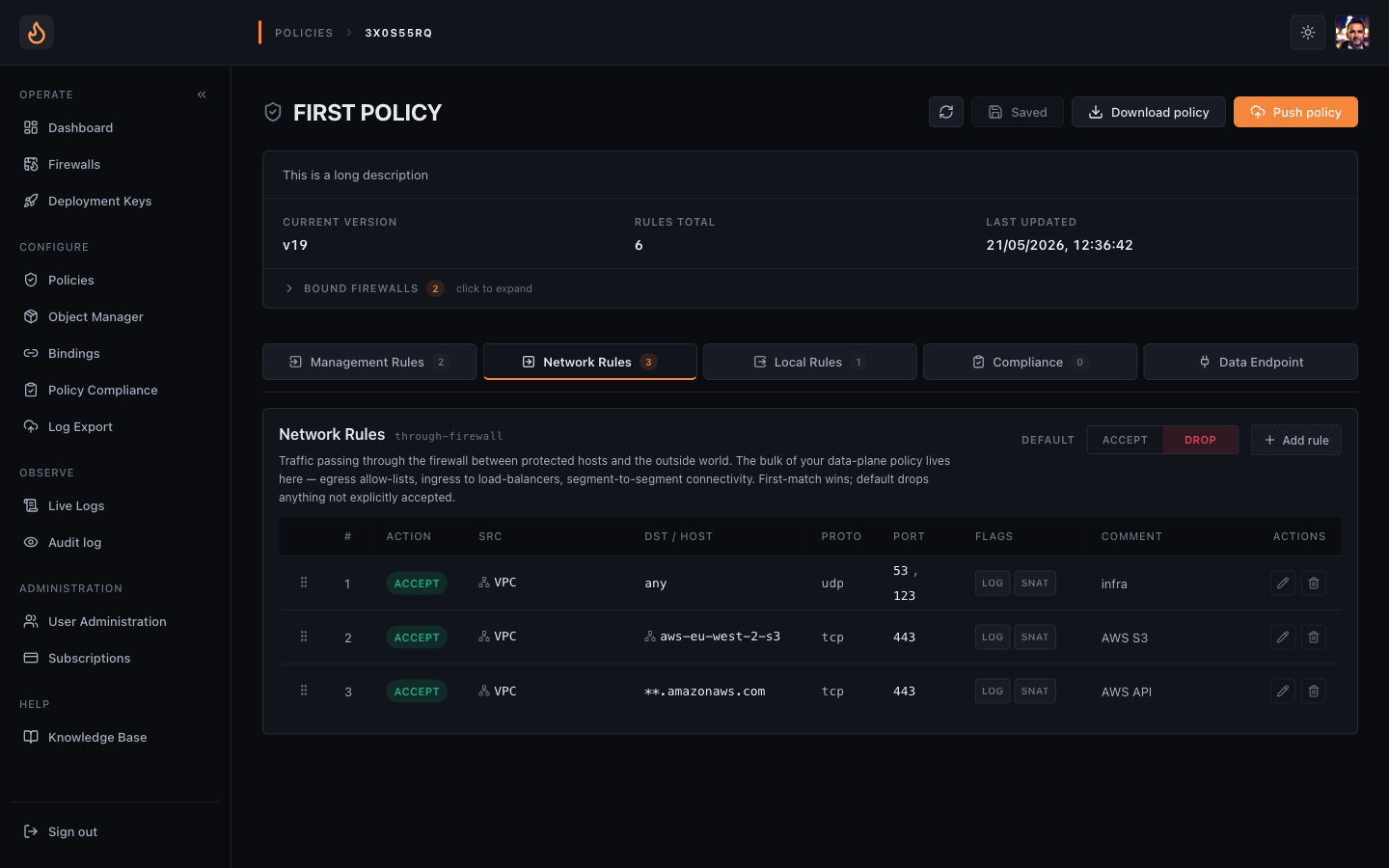 Network Rules — through-firewall, where the bulk of policy lives. Note rule 3 uses an SNI hostname pattern (
**.amazonaws.com).
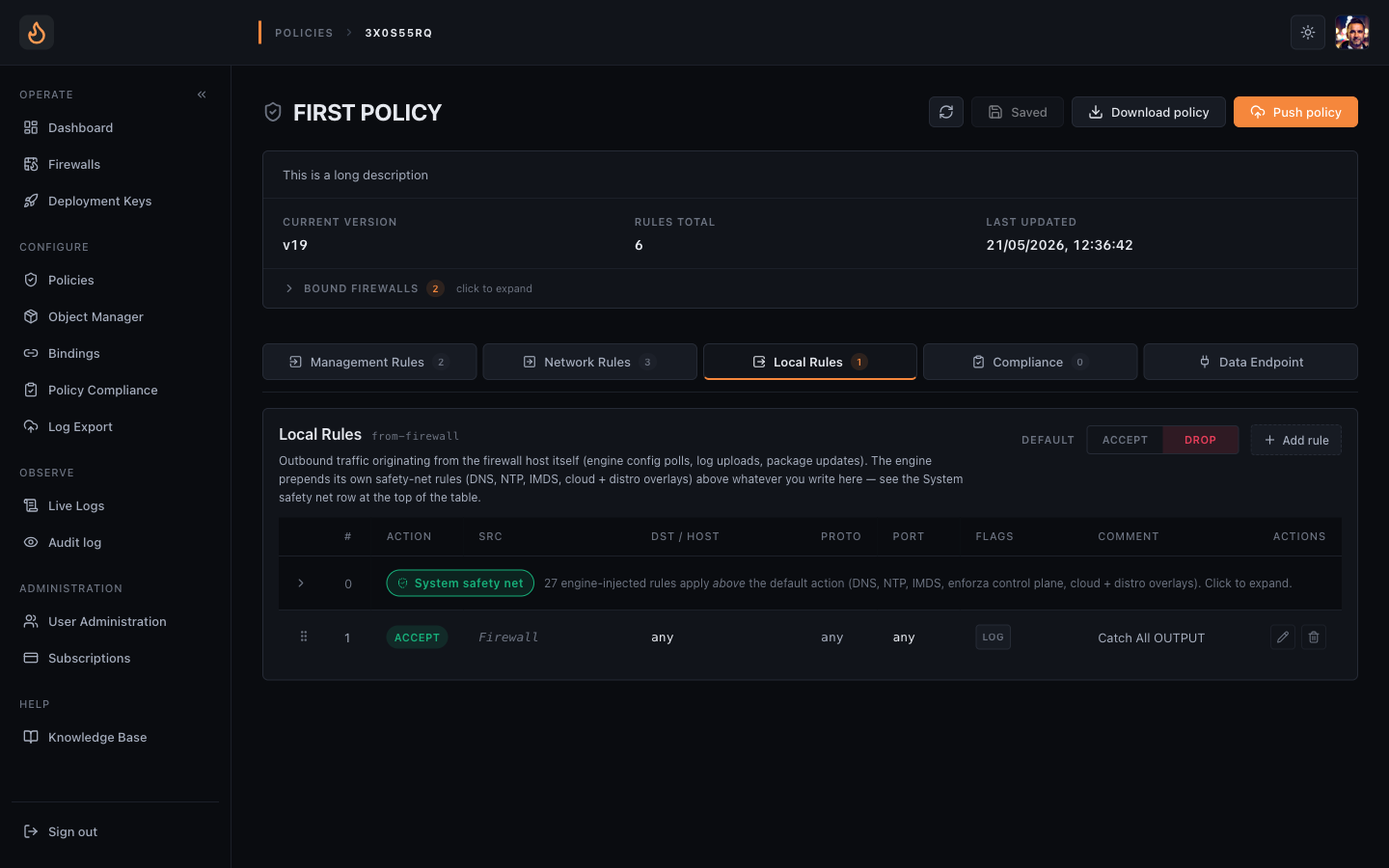 Local Rules — from-firewall. DNS, NTP, package updates from the engine VM itself.
Rule structure
Section titled “Rule structure”Every rule is a five-tuple plus an action:
- Source — IP / CIDR, object reference, or
any. - Destination — same shape as source. Hostname matching (TLS SNI) is
supported only in
through-firewall. - Protocol —
tcp,udp,icmp, orany. - Port — single, list, or range. Ignored for icmp/any.
- Action —
acceptordrop. (Reject is intentionally not offered — drop is quieter and harder to fingerprint.)
Plus a free-form comment field that shows up in audit logs and history search. Use it; future-you will thank present-you.
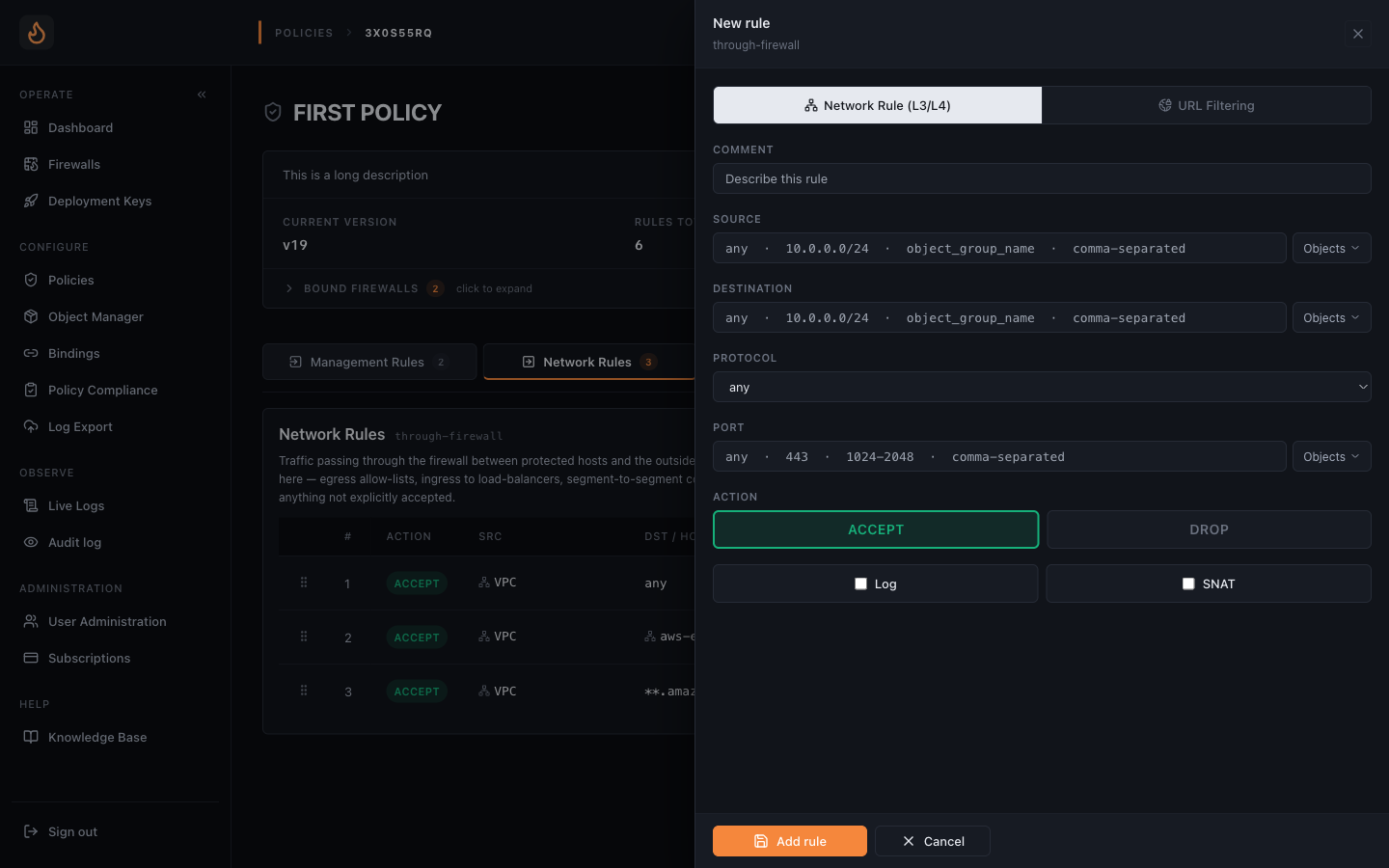 Add rule, Network Rule (L3/L4) tab — five-tuple plus action, plus Log and SNAT flags.
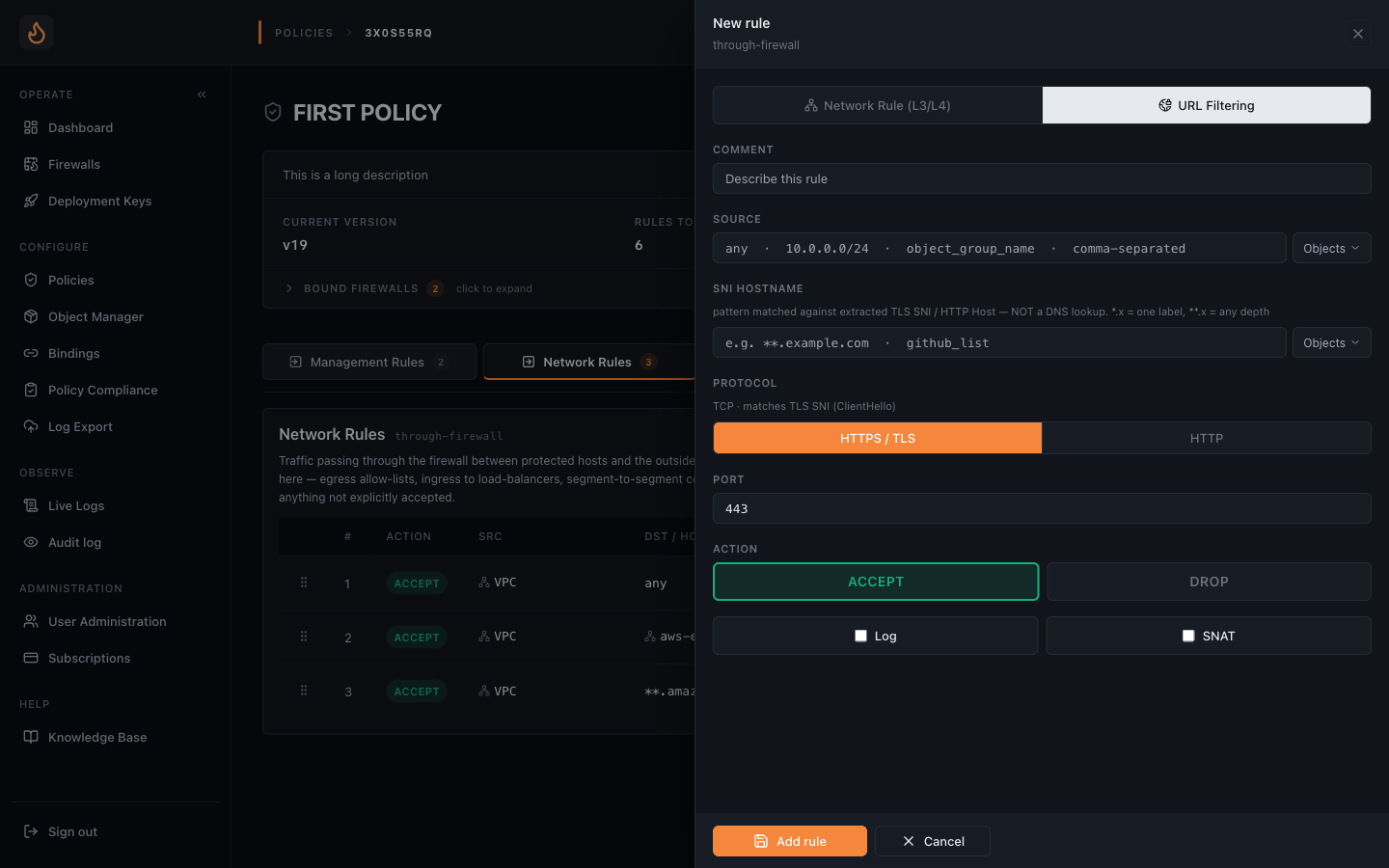 Same form, URL Filtering (L7) tab — hostname / SNI matching, wildcard supported.
Evaluation order
Section titled “Evaluation order”Within a section, rules evaluate top-to-bottom, first match wins. No implicit reordering, no automatic optimisation, no “more specific rule beats less specific” magic — what you see in the editor is the order the engine evaluates.
If no rule matches, the section’s default action applies. Default is drop;
we strongly recommend leaving it there. Fail-closed is the only safe posture on
a firewall.
Drafts, publishes, and versions
Section titled “Drafts, publishes, and versions”Saving a policy creates a draft. Drafts do nothing — they are invisible to the engine. Publish is the action that runs the policy through the schema and compliance gates and lands it as a new immutable version in the policy’s history ring buffer (20 versions deep).
- Edit a rule, hit Save → draft is updated.
- Hit Publish → schema gate runs; if guardrails are bound, the OPA gate runs next.
- On pass: new version pinned, label assigned automatically (
v23,v24…), older-than-20 versions roll off the bottom. - Any bound firewall pulls the new version on its next config refresh (seconds, not minutes).
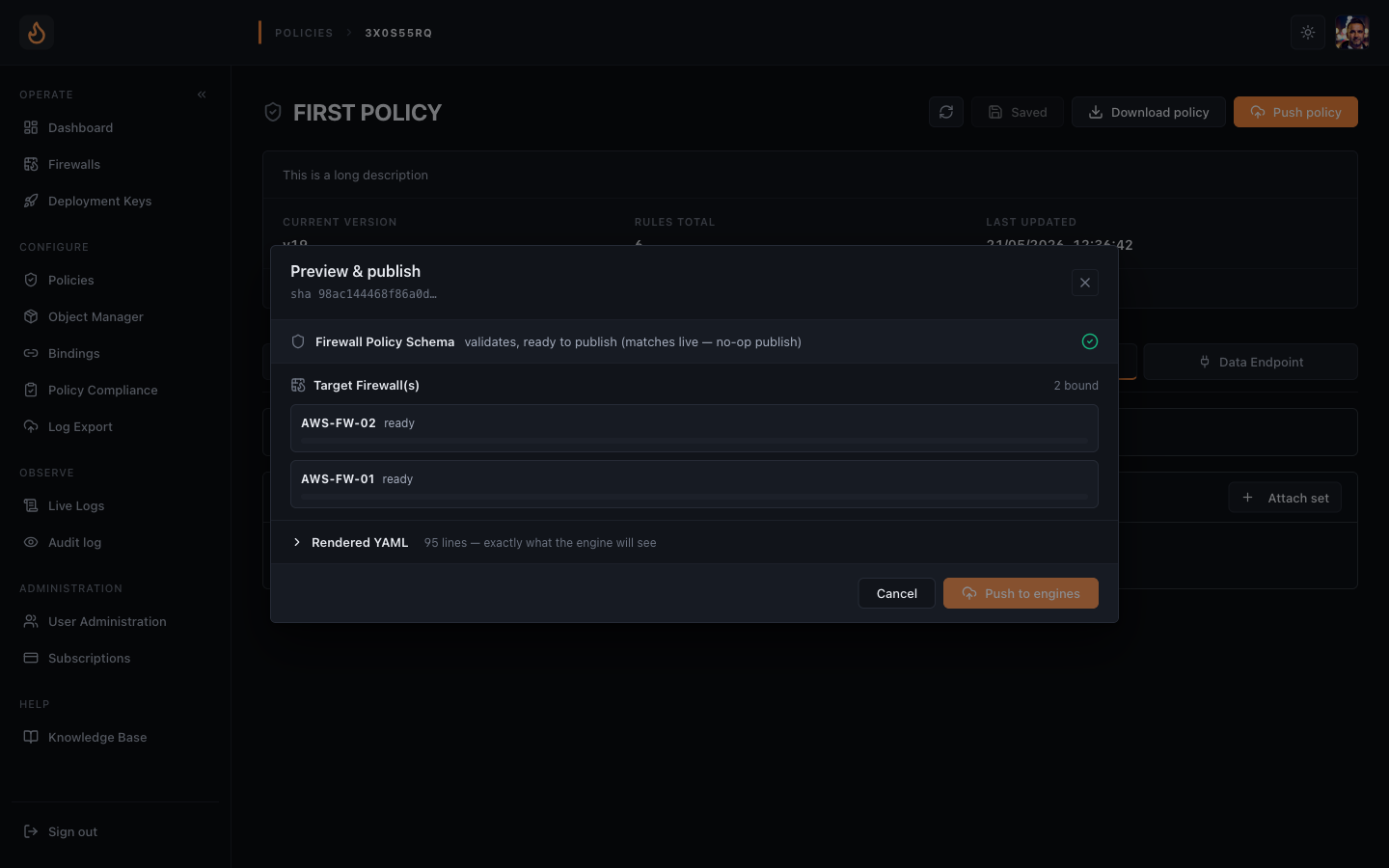 Push dialog — schema gate runs first, guardrails second. Both must pass.
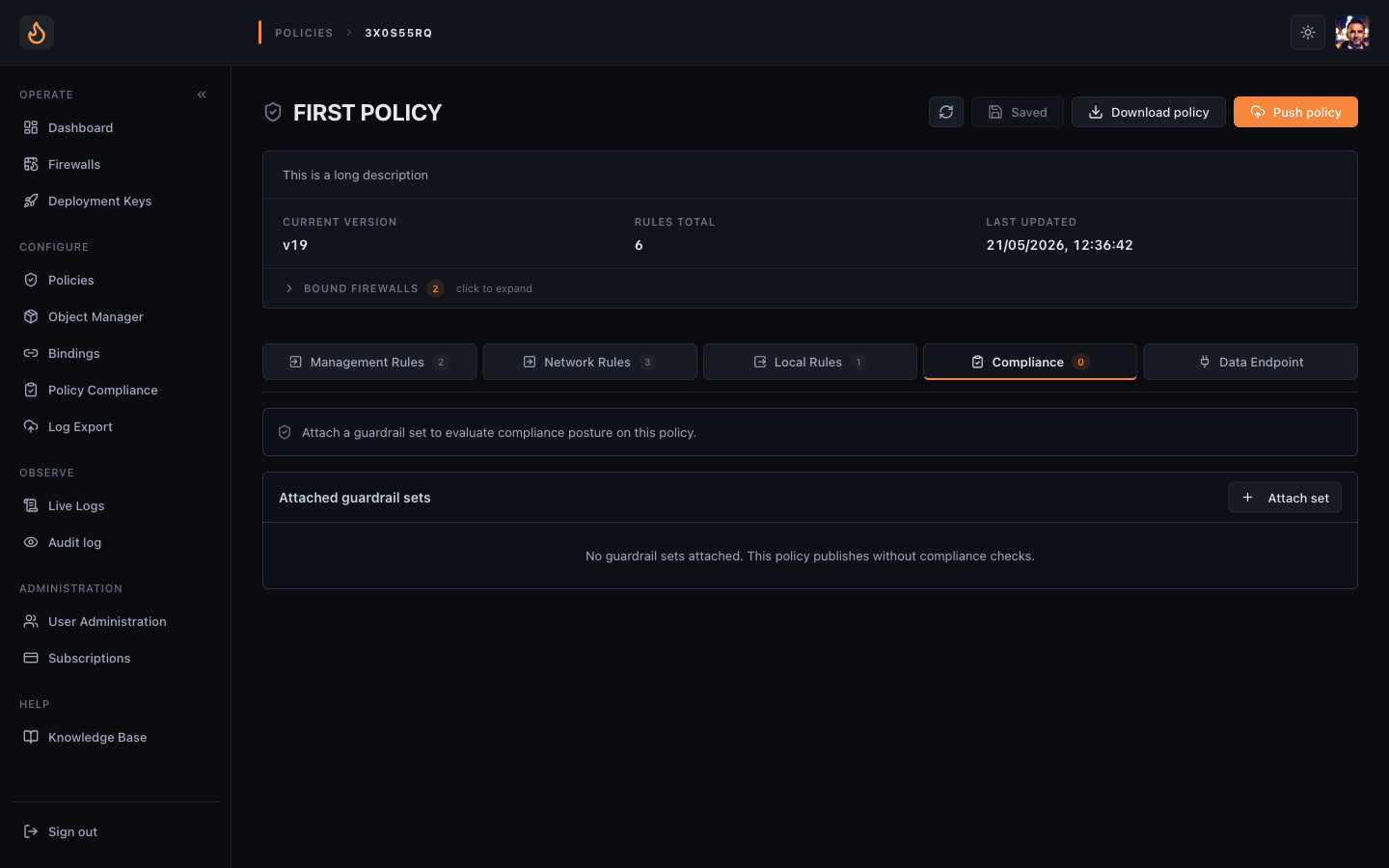 Compliance tab — attach guardrail sets in advise or enforce mode.
Rollback
Section titled “Rollback”Policies → open the policy → History tab. Every published version is in the ring buffer with its publish timestamp, the operator who pushed it, and a diff against the previous version. Pick any version, hit Rollback, that becomes the new published version. The engine pulls it on its next refresh.
What the engine actually sees
Section titled “What the engine actually sees”The console emits YAML internally and ships it over the engine’s WebSocket as
the body of a config message. The engine never talks to the policy editor; it
only consumes the published YAML the cloud hands it. This is why CCX-mode and
GPI-mode (GitOps) firewalls look identical to the engine — same wire shape,
different upstream.
Related
Section titled “Related”Use objects to keep rule sets DRY, and cloud-range objects to track vendor IP ranges automatically. Both have their own articles in this section.