Log exporters — overview and workflow
A log exporter is a destination outside the Enforza platform that you want a copy of every traffic event shipped to — typically a SIEM (Splunk, Sentinel) or an archive (S3 bucket). You define exporters once at the tenant level, then bind them per firewall. Events flow engine → destination directly; the Enforza control plane is not in the data path.
The exporter daemon
Section titled “The exporter daemon”Shipping is handled by enforza-logship, a sibling daemon that install.sh
drops alongside the engine. It runs as a separate systemd unit under its own
user, with its own WebSocket to the cloud, and its own failure domain. The engine
doesn’t know exporters exist; logship doesn’t know about nftables. Each can be
restarted without disturbing the other.
On startup, logship asks the cloud for the list of exporters bound to its engine. For each one it tails the engine’s local traffic log, formats events for the destination, and ships them. It heartbeats per-exporter health back to the cloud every 30s — that’s what powers the chips on the firewall’s Log Export tab.
Supported destinations
Section titled “Supported destinations”- AWS S3 — newline-delimited JSON objects, gzip-compressed, prefixed by date. Uses the firewall’s EC2 instance role; no static creds.
- Azure Monitor / Sentinel — Logs Ingestion API via a DCR + DCE you provision in your subscription. Uses the VM’s managed identity.
- Splunk HEC — HTTPS POST to a HEC endpoint you stand up. Uses a HEC token brokered through the cloud Secrets Manager.
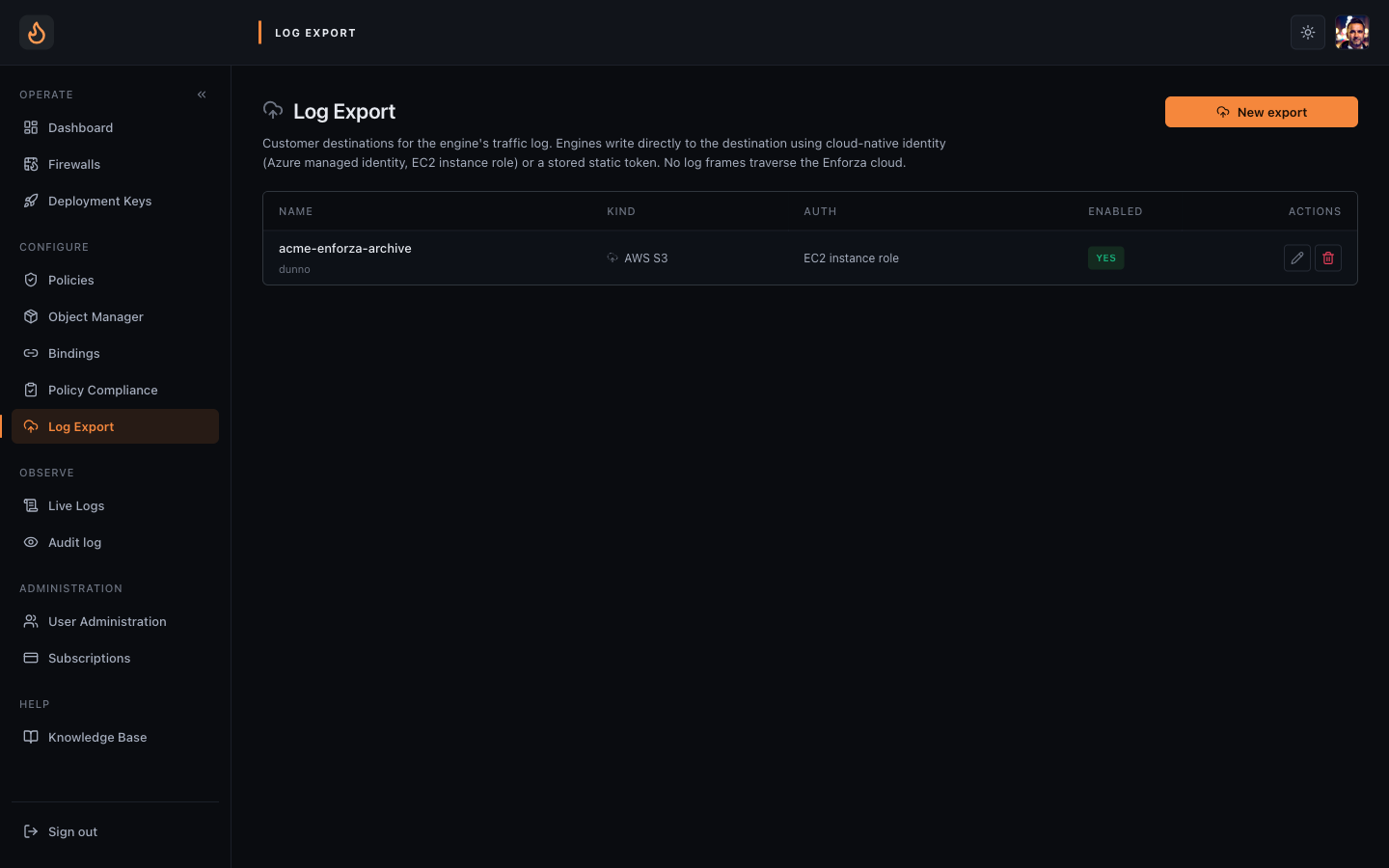 Log Export — tenant-scoped destinations, one row per configured exporter.
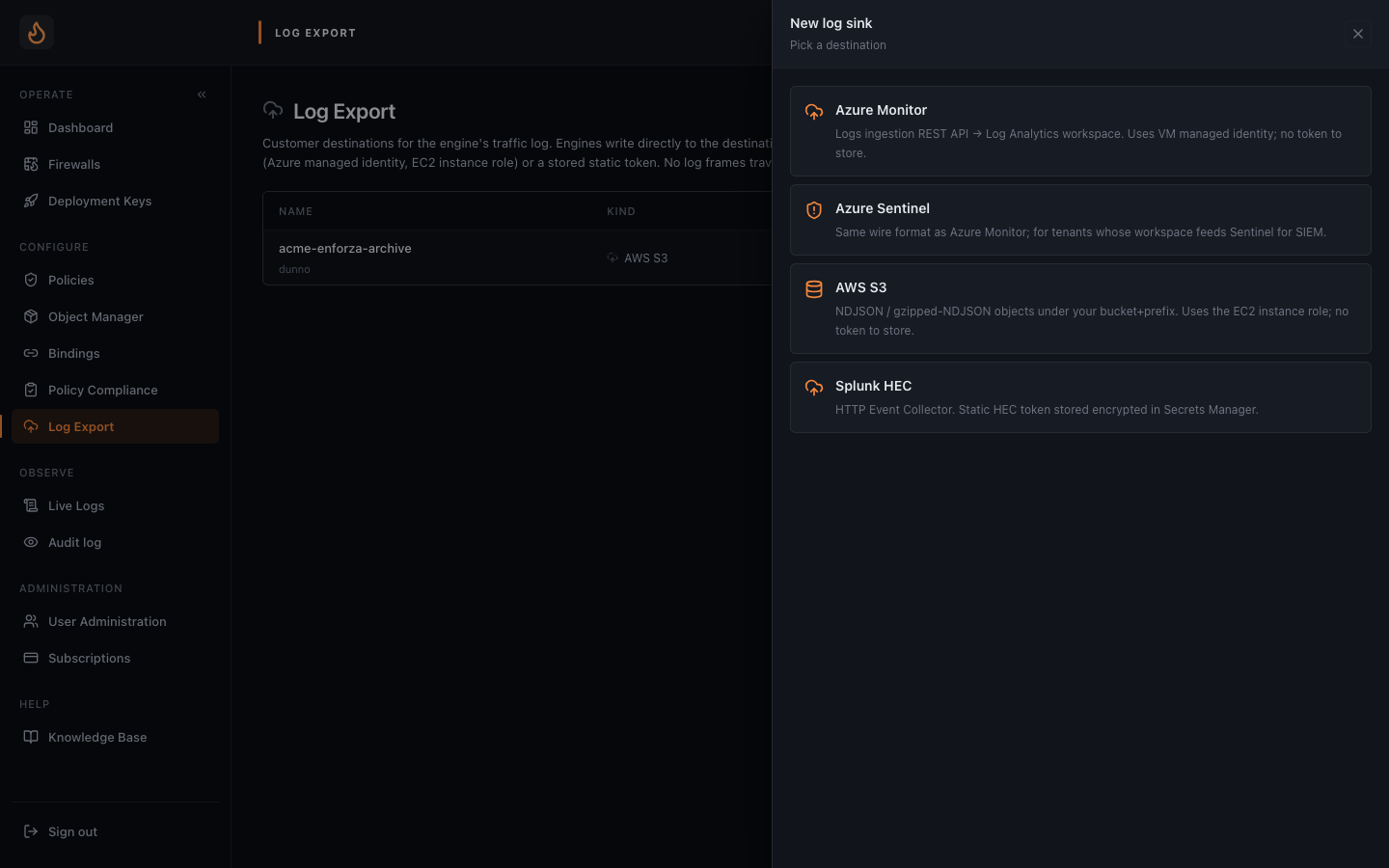 New export — pick a destination kind (S3 / Azure Monitor / Splunk HEC), name it, configure credentials.
The workflow
Section titled “The workflow”- Set up the destination in your own cloud / SIEM. Bucket + IAM role, or DCR
- managed-identity grant, or HEC token — depends on the kind. See the per-vendor articles below.
- Create the exporter in the console. Sidebar → Log Export → New exporter. Pick the kind, paste the destination details (bucket name, DCE URL, HEC URL, etc.). Splunk also takes the HEC token, which goes into the cloud Secrets Manager — never stored in the policy or shipped to the engine.
- Bind it to one or more firewalls. Either from the exporter detail page (multi-select firewalls) or from the firewall’s own Log Export tab (multi-select exporters). Bindings are many-to-many.
- Watch the health chip. Within ~30s of binding, the per-exporter chip on the
firewall row shows status.
X events loggedwith a recentLast write= working.Awaiting first heartbeatsticking around usually means credentials aren’t wired up yet — the chip surfaces a hint pointing at the right vendor article.
Per-exporter behaviour
Section titled “Per-exporter behaviour”Buffering and retry
Section titled “Buffering and retry”Each exporter has a bounded in-process queue (default 64k events, ~64MB at
~1KB/event). On queue-full, logship drops oldest and increments the dropped
counter shown in the health chip. The engine’s local traffic.log shards remain
the durable audit record — they’re not affected by exporter backpressure.
Retry is exponential backoff 1s → 2s → 4s → … cap 60s. After 30 consecutive
failures the exporter opens its circuit for 5 minutes — events are dropped with
the Circuit open chip surfaced, so the operator knows to look at the destination
side rather than the firewall side.
Event shape
Section titled “Event shape”Exporters ship the engine’s native event shape — the same JSON record that lands in the local traffic log. Slice-1 means no cloud-side enrichment in exporter output: country, ASN, and sni-derived hostname fields are absent. The live-stream and history-search paths still get enriched (they go through the cloud), but exporters bypass the cloud entirely, so enrichment isn’t free for them.
If you want geo in your SIEM, do the lookup at query time — iplocation in
Splunk, geo_info_from_ip_address() in Sentinel, a MaxMind UDF in Athena.
Per-vendor setup deep-dives
Section titled “Per-vendor setup deep-dives”- AWS S3 — bucket and IAM role
- Azure Monitor / Sentinel — DCR, DCE, managed-identity
- Splunk HEC — token generation and index setup
Security posture
Section titled “Security posture”- Credentials never leave your cloud. S3 and Azure use workload identities resolved at the VM; logship reads no static keys.
- Splunk tokens are RSS-cached only. Logship fetches the HEC token over its WS, holds it in memory, never writes it to disk or swap. Re-fetches on TTL or auth failure.
- Separate user, separate blast radius. Logship runs as user
enforza-logship, distinct fromenforza-engine. NoCAP_NET_ADMIN, no nftables socket — an RCE in an exporter writer gives the attacker fewer keys than one in the engine would.