Bind a policy to a firewall
Publishing a policy makes it available, but doesn’t yet apply it to anything. The binding is what wires a specific firewall to a specific policy. Bindings are immutable in mode: a firewall is either CCX-bound (policy authored in this console) or GitOps-bound (policy in your repo, GPI mode). You can flip, but the operator is warned because the old binding’s policy is wiped.
1. Open the Bindings page
Section titled “1. Open the Bindings page”- Sidebar → Bindings. You’ll see every firewall in your fleet with its current binding state.
- New engines show as Unbound in the policy-source column.
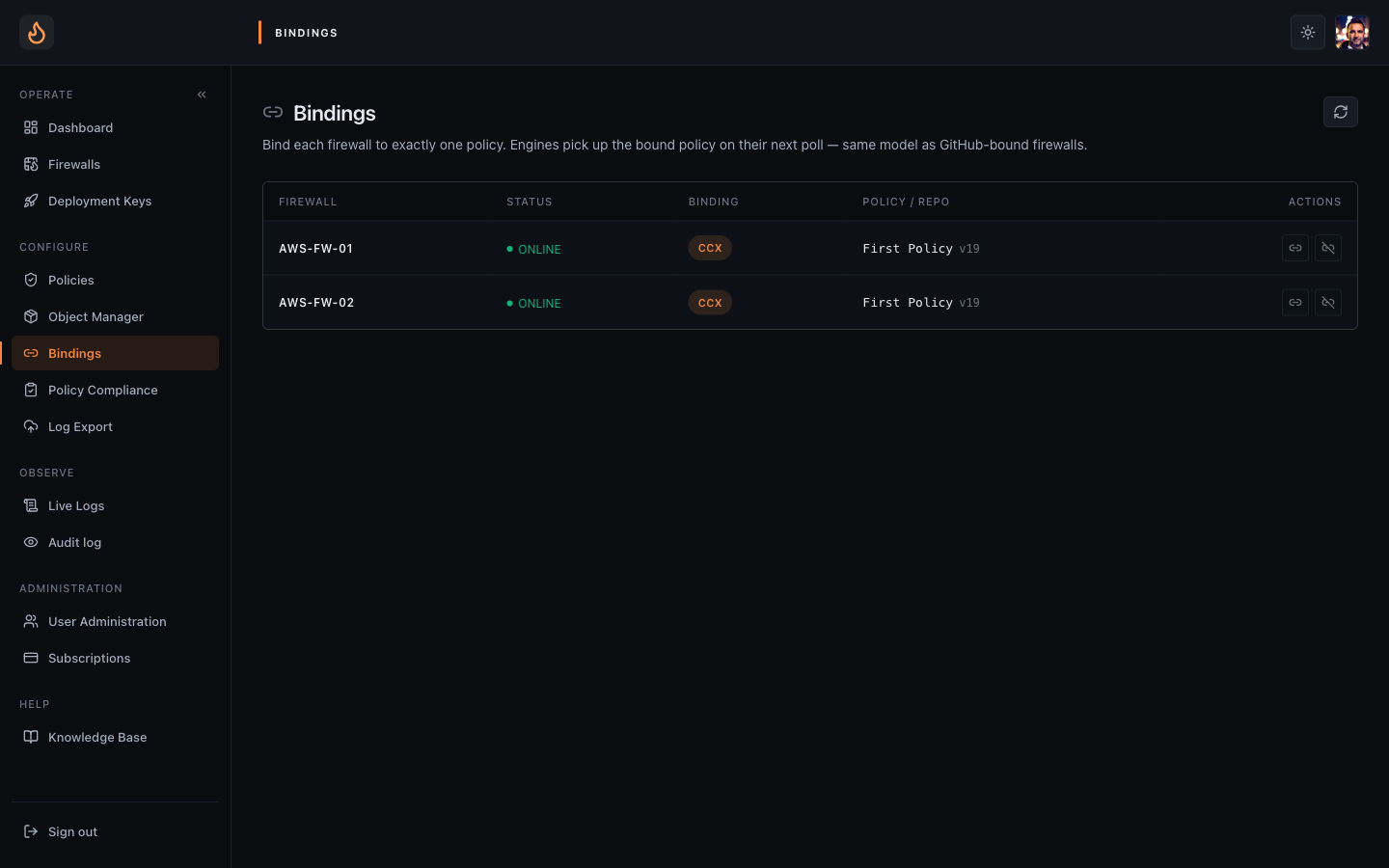 Bindings — one row per firewall, current policy and source (CCX vs GPI).
2. Bind the policy
Section titled “2. Bind the policy”- Find your firewall row.
- Click Apply policy on that row.
- The dialog lists the tenant’s CCX policies. Pick the one you just pushed (
fleet-default). - Confirm. The console writes the binding, the engine sees the change on its next config poll (within ~5 seconds).
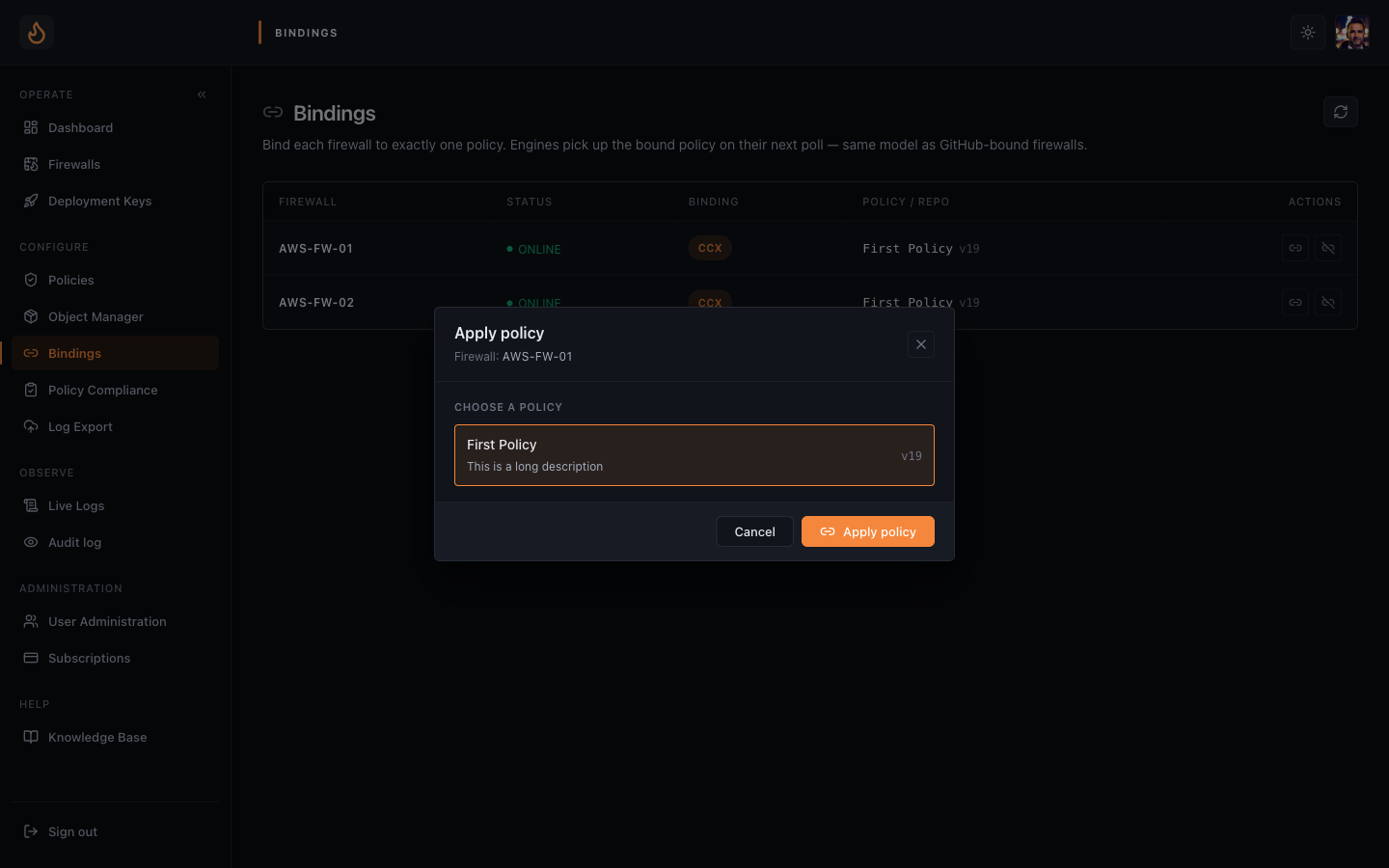 Change policy dialog — pick a published policy, confirm, the engine picks it up within seconds.
3. Verify the policy is actually applied
Section titled “3. Verify the policy is actually applied”- Go to Firewalls. The row now shows the policy name and a green Synced chip with the SHA of the active policy.
- If the engine had any apply failure (parser / compile / kernel reject), you’ll see a red Parse error / Compile error / Apply error chip with the engine’s own error message inline.
- SSH into the engine and run
nft list ruleset | head -40if you want bare-metal confirmation — your rules show up in theenforza-fwdtable.
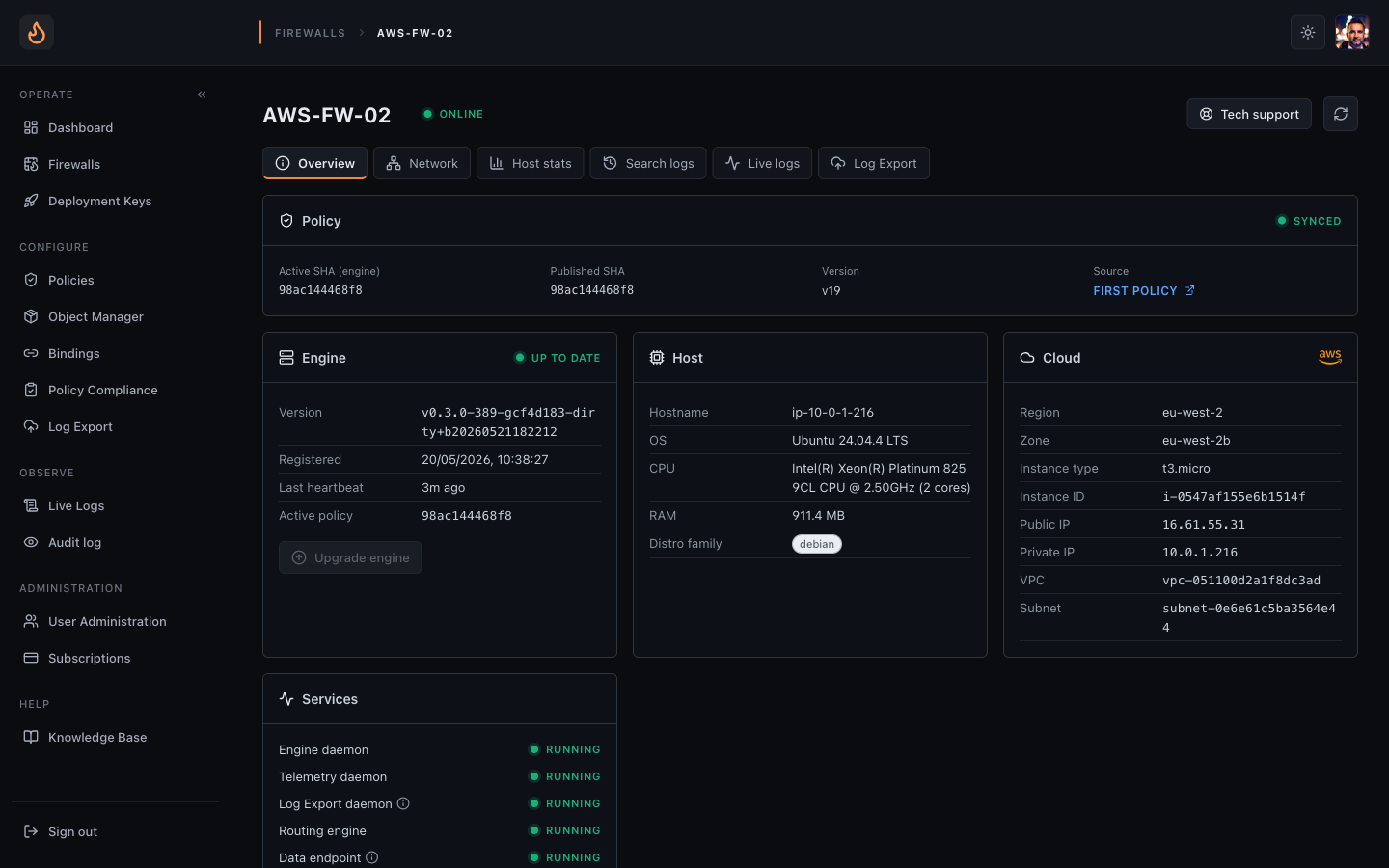 Firewall detail — shows the applied policy name and any apply errors inline.
4. Try a packet
Section titled “4. Try a packet”From a host downstream of the engine (routed through it), try the action you blocked
— e.g. nc -vz some-other-host 22. The connection should fail; the engine is now
dropping that rule’s matching traffic.
Unbinding
Section titled “Unbinding”Need to take a firewall out of policy enforcement? Bindings page → Unbind. The engine clears its applied policy on the next config poll and drops to its default action (typically drop-all, fail-closed). You can re-bind without restarting the engine.
What happens on the engine
Section titled “What happens on the engine”- The engine polls the cloud for its current config every few seconds.
- When the binding changes, the cloud’s response includes the new policy URL + SHA.
- The engine downloads the rendered YAML, compiles it through its in-kernel pipeline, and atomically replaces the active ruleset.
- Apply result (success or error class) is pushed back to the cloud over WebSocket and surfaces on the Firewalls page.
- 20 versions of every policy are retained — Versions tab on the policy → Roll back to this version if anything regresses.