Cloud-range objects — auto-tracking vendor IP ranges
Cloud-range objects are policy address groups whose contents are sourced from a
vendor’s published IP manifest. You reference the object by name from any rule,
and the control plane keeps the underlying prefix list current as the vendor
publishes updates. No more chasing AWS ip-ranges.json by hand.
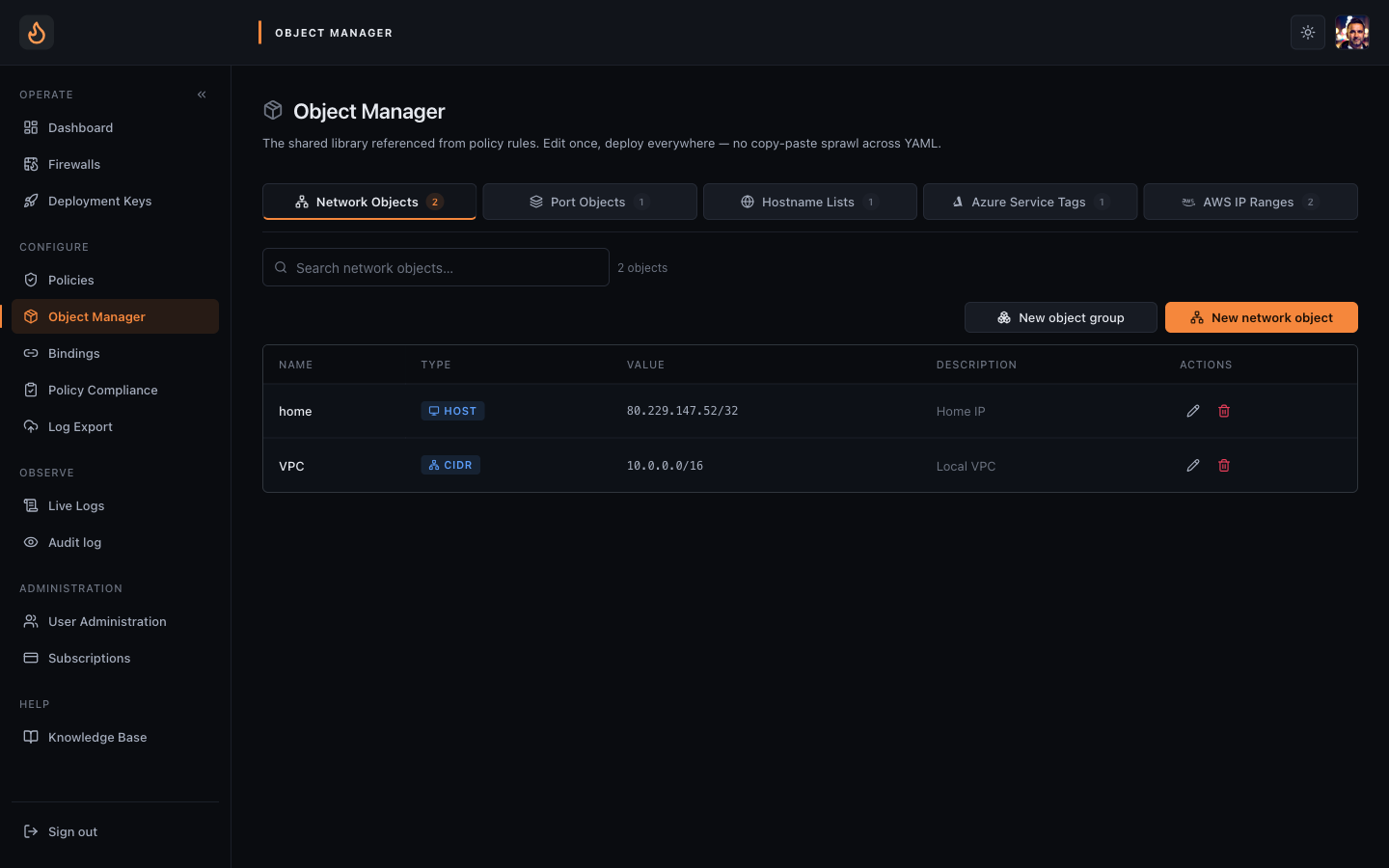 Object Manager — every reusable address group, port group, hostname list, and cloud range in the tenant.
What’s available
Section titled “What’s available”- AWS — every service / region combination in
ip-ranges.json(S3 in eu-west-2, CloudFront global, DynamoDB in us-east-1, etc.). - Azure — every service tag from the Azure ServiceTags manifest (Storage, AzureFrontDoor.Frontend, AzureActiveDirectory, etc.).
- GCP — Google’s published
goog.json+cloud.json. - GitHub — webhook ranges, Actions runners, Pages, importer, etc., from the GitHub meta API.
- Cloudflare — published edge ranges (v4).
IPv6 prefixes are filtered out — the engine is v4-only by design.
Creating one
Section titled “Creating one”- Sidebar → Objects → New object → Cloud range.
- Pick the vendor, then the service / region. The console previews the current prefix count so you can sanity-check before saving.
- Name the object — keep it descriptive (
aws-s3-eu-west-2,github-webhooks). The name is what you’ll reference from rules. - Save. The object is now part of the tenant catalogue and can be referenced from any policy.
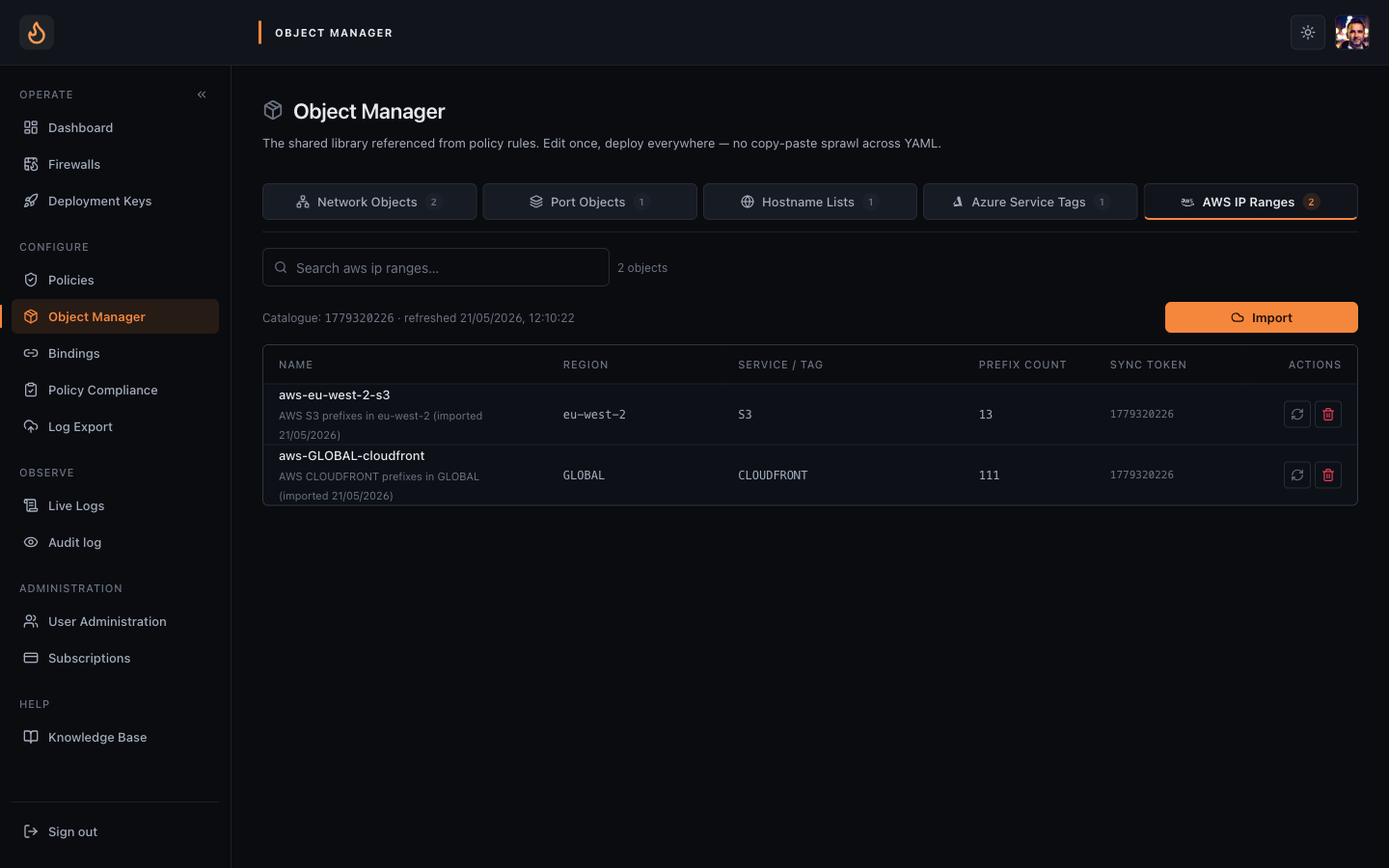 AWS IP Ranges — vendor catalogue sync token, prefix count per object, manual re-pull available.
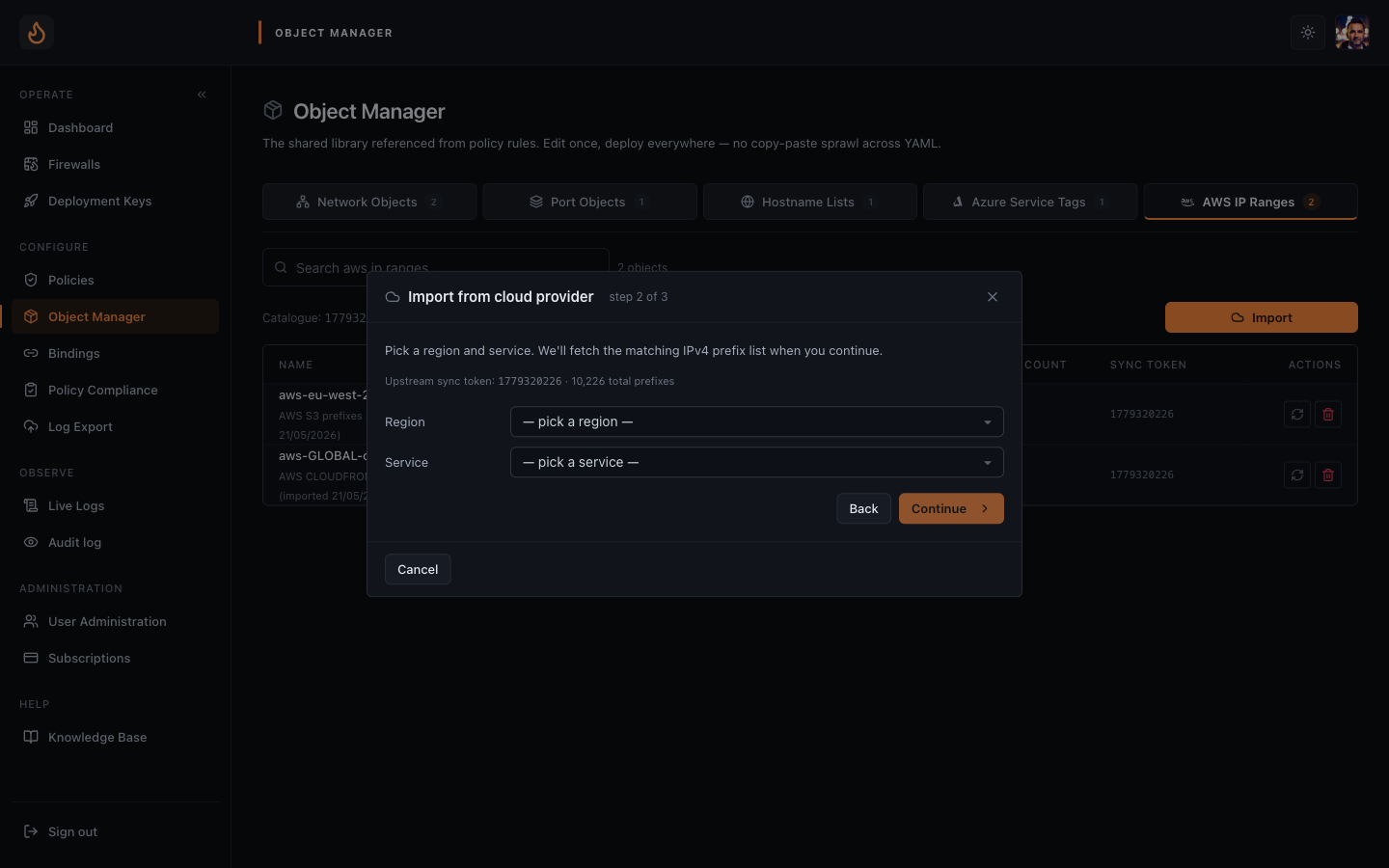 Import flow — pick service and region, preview prefix count, save.
How refresh works
Section titled “How refresh works”The control plane polls each vendor’s manifest on a schedule (hourly for AWS/Azure/GCP/Cloudflare, every 10 minutes for GitHub which publishes more frequently). When a manifest changes:
- The new prefix list is diffed against the cached one.
- Every object that references that service is marked dirty.
- Every published policy that uses a dirty object is re-emitted with the new prefixes.
- Engines bound to those policies pull the refresh on their next config tick.
Using it in a rule
Section titled “Using it in a rule”Open any rule’s source or destination field, switch from “address” to “object”, pick the cloud-range object from the dropdown. That’s it. Cloud-range objects are interchangeable with static address objects anywhere a policy expects a CIDR group.
Common patterns:
- Allow webhook ingress.
through-firewallrule: source =github-webhooks, destination = your CI runner, port 443, accept. - Lock down egress to S3.
through-firewall: destination =aws-s3-eu-west-2, port 443, accept; then a broad drop below. - Permit AAD sign-in only. Destination =
azure-active-directory, accept.
Size, drift, and limits
Section titled “Size, drift, and limits”Some vendor ranges are large (AWS-wide is ~9,000 prefixes; Azure Storage globally is several thousand). The engine handles these comfortably — nftables sets are O(log n) lookups — but rules that reference very large ranges are still worth keeping rare in the hot path.
When the manifest shrinks (vendor decommissions a range), the engine removes the prefix on the next refresh. You don’t need to act. If you want to be notified of a delta, the Audit page shows every cloud-range refresh event with the diff.
Failure modes
Section titled “Failure modes”- Vendor manifest unreachable. Control plane keeps serving the last good snapshot. Audit log records the failure; engines keep running on the previous range.
- Empty manifest. Treated as transient — never written back over a non-empty cache.
- Object deleted while in use. Publish gate refuses to release a policy that references a missing object — the editor surfaces the broken rule before you can ship.